The Reading Room Preview beta signup

A WRITING STUDIO FOR MAC

A home for stories yet to be told.

Draft your novel, listen back to revise, and prepare it for submission. Your manuscript and the world behind it stay together in one Mac app.

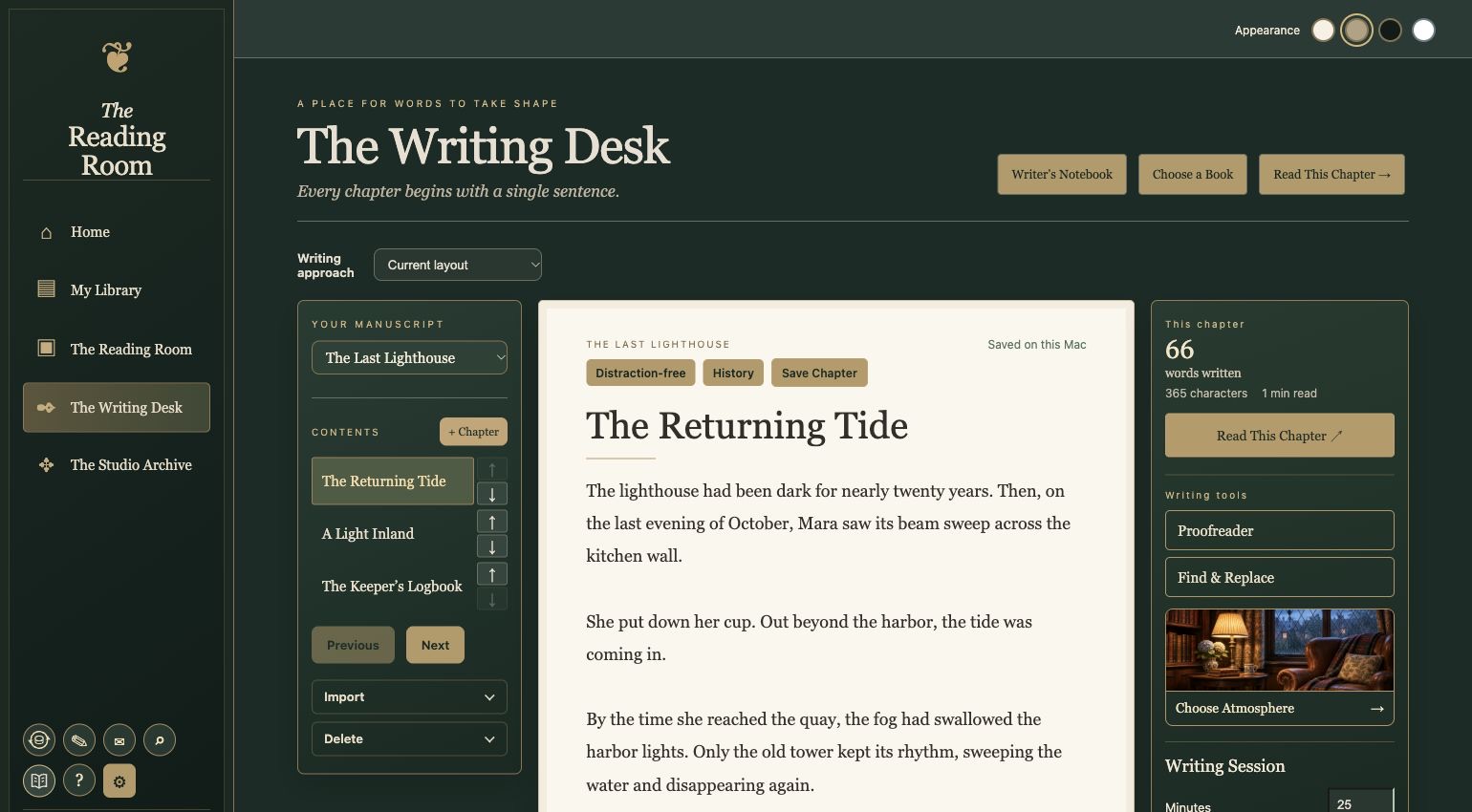
The Reading Room’s Writing Desk in Library Dark, showing the four Appearance swatches, chapter list, sample manuscript The Returning Tide, and writing tools.
Writing Desk screenshot · Library Dark

THE WORKSPACE

Three spaces for one story.

Move from the page to the spoken word to the details that hold your world together.

WRITING DESK

Give your first draft room.

Keep chapters in order as the story changes.

SAMPLE CHAPTER · THE RETURNING TIDE

The lighthouse had been dark for nearly twenty years. Then, on the last evening of October, Mara saw its beam sweep across the kitchen wall.

READING ROOM

Hear what the eye skips.

Listen back to catch a repeated word or a sentence that needs more breathing room.

LISTENING SAMPLE

“She put down her cup. Out beyond the harbor, the tide was coming in.”

George · Studio Narration pilot

STUDIO ARCHIVE

Keep the whole world in view.

Bring together characters, places, and histories so you can find the detail you established chapters ago.

STORY CARDS

BUILT FOR NOVELISTS

Revise by ear.
Keep the story straight.

The manuscript, a listening pass, and your story reference live in the same Mac workspace. Hear a line that needs work, return to the chapter, and check the details your next scene depends on.

Chapter-by-chapter drafting

Keep a long manuscript organized in chapters so you can work on one section at a time.

Listening as an editing pass

Play back a chapter to catch repeated words, stiff dialogue, and sentences that run long.

A reference for your story world

Keep character details, relationships, places, and timelines together in Studio Archive.

LIVING ARCHIVE · OPTIONAL BETA PILOT

See the sentence behind the suggestion.

The pilot can suggest explicit character details from saved writing and point to the source sentence. You decide which details become part of the Archive. Requires a separate local model.

ILLUSTRATIVE SUGGESTION

Mara Vale · Wears a silver ring

Read the source sentence

“Mara turned the silver ring on her thumb as she watched the light sweep the harbor.”

The Returning Tide · Sample chapter
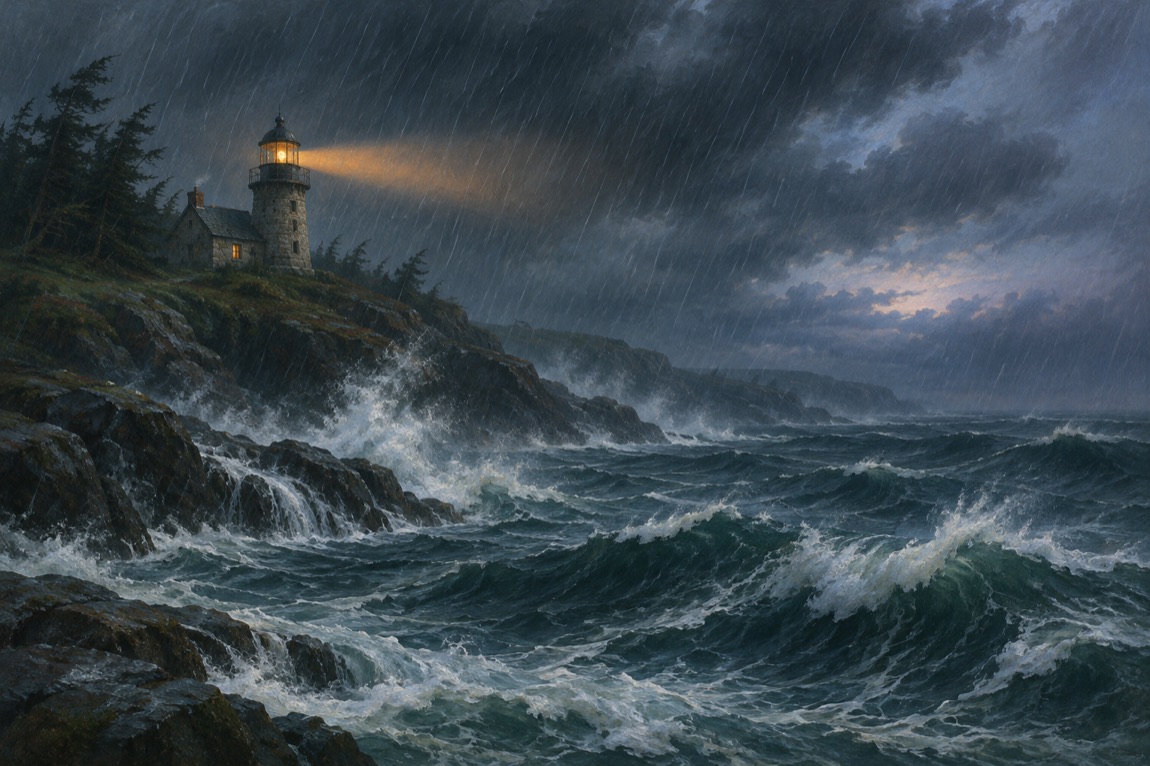
A lighthouse beam cuts through rain over a rough sea

WRITING ATMOSPHERES

Stormy Seas.

Choose a soundscape that puts you in the mood of your chapter, from soft rain to a crackling fire. In this preview, hear wind rise and waves break against the headland.

WRITING DESK THEMES

Set the tone.

Start with the clean lines of Modern Study, or try warm ivory, deep library green, or a muted midnight palette.

Preview a writing theme
THE READING ROOMWriting Desk

YOUR MANUSCRIPT

The Last Lighthouse

CONTENTS

  1. The Returning Tide
  2. A Light Inland
THE LAST LIGHTHOUSEHistorySave Chapter

The Returning Tide

The lighthouse had been dark for nearly twenty years. Then, on the last evening of October, Mara saw its beam sweep across the kitchen wall.

She put down her cup. Out beyond the harbor, the tide was coming in.

39 words

WRITING TOOLS

Proofreader

Find & Replace

Choose Atmosphere

Writing Desk illustration · Modern Study

DISTRACTION-FREE WRITING

Focus Mode.

Give the chapter the full window. Focus Mode tucks away the chapter list and writing tools so you can stay with the sentence in front of you.

Set your line spacing and margins, or use optional typewriter scrolling to keep the line you’re writing near the middle of the page.

THE LAST LIGHTHOUSE

The Returning Tide

The lighthouse had been dark for nearly twenty years. Then, on the last evening of October, Mara saw its beam sweep across the kitchen wall.

She put down her cup. Out beyond the harbor, the tide was coming in.

Focus Mode illustration · Modern Study

PRIVACY & AUTHOR OWNERSHIP

Your words stay yours.

The Mac beta stores the workspace on your Mac. You choose where to put exports and backups. You retain the rights you hold in the work you write and import.

The public release privacy notice is pending.

SUBMISSION KIT

You wrote the book. Get it ready to send.

When an agent asks for a query, a synopsis, and the first three chapters, you can prepare all three in the same app where you wrote the book.

  • Follow the recipient’s guidelines. Save their instructions and check the requested format and sample length.
  • Export the materials they asked for. Prepare the letter, synopsis, and selected chapters.
  • Keep track after you send. Record the date sent, any reply, and when to follow up.

EXAMPLE SUBMISSION PACKET

The Last Lighthouse

Agent guidelines call for a query, a one-page synopsis, and chapters 1–3.

Query letter
Tailored to the recipient
Synopsis
One-page summary
Manuscript sample
Chapters 1–3 · Word document

Draft · Ready for author review

PRICING MOCKUP

Two ways into the studio.

Illustrative packages and one-time USD prices for a future Mac release.

Writing Edition

For drafting, revising, and keeping track of your story world.

$39 one-time · example

  • Writing Desk, themes, and distraction-free Focus Mode
  • Reading Room playback with installed Mac voices
  • Studio Archive for characters, places, and timelines
  • Microsoft Word (.docx) import and export
  • Submission Kit and submission tracking

Studio Edition

For writers who want to do more with spoken drafts.

$59 one-time · example

  • Everything in Writing Edition, including Word compatibility
  • Studio Narration with additional local voices
  • Chapter audio export

Studio Narration and audio export are proposed package features.

RELEASE INFORMATION

The Reading Room for Mac.

Download

A public Mac installer and system requirements have yet to be announced.

Frequently asked questions

Is this for Mac?

Yes. The Reading Room is being developed as a Mac app. Public release system requirements are pending.

Are these actual app screenshots?

The hero shows the Mac beta’s Writing Desk with a fictional manuscript. The theme and Focus Mode previews are illustrations.

What happens when I try the beta form?

It validates the email in your browser and shows a sample confirmation. The website sends and stores no email address.

MAC BETA · SIGNUP PREVIEW

Be there for the first chapter.

See how you’ll be able to register interest in trying The Reading Room on Mac.

Demo only. You can use a sample address. No email is sent or saved.